> For the complete documentation index, see [llms.txt](https://d2vns-organization.gitbook.io/tm/llms.txt). Markdown versions of documentation pages are available by appending `.md` to page URLs; this page is available as [Markdown](https://d2vns-organization.gitbook.io/tm/gear/orb-upgrade-item.md).
# Orb Upgrade Item
#### Orb Upgrade Item Level
\- Unique Upgrade Orb là phiên bản nâng cấp mới hơn và mạnh hơn so với Upgrade Items.\
\- Có tổng cộng 5 Level.\
\- Mỗi Unique Upgrade Orb Level chứa từ 1 - 2 Option.\
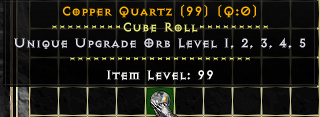
**- Unique Upgrade Orb có thể sử dụng Copper Quartz để Roll ra Option mình muốn. (Mua ở Shop D2VN)**
{% embed url="" %}
***
#### Công thức chung
**Lưu ý:**
* Fragment được sử dụng cho Unique Orb sẽ được Farm ra tại các map Extra Quest bao gồm => Salvation - Lich King - Azmodan - Devil Diablo - Imperius.
**Công thức Cube nguyên liệu Orb:**
* **Normal Orb** = Fragment 1 + Fragment 2 + Fragment 3 + Fragment 4 + Fragment 5 + Normal Orb Recipe + 2 Unique Ring
* **Magic Orb** = 7 Normal Orb + Magic Orb Recipe + 2 Unique Ring + 1 Ohm Rune
* **Chaos Orb** = 7 Magic Orb + Chaos Orb Recipe + 4 Unique Amulet + 2 Ohm Rune
* **Unique Orb** = 7 Chaos Orb + Unique Orb Recipe + 8 Unique Amulet + 3 Ohm Rune
[**Danh sách Unique Upgrade xem ở đây.**](https://d2tm.com/guides/vat-pham/unique-upgraded/)
**Công thức CUbe Unique Orb Upgrade:**
Unique Upgrade Orb Level 1 > **x2 Unique Upgrade + Lo Rune + 2 Normal Orb**
* 1 Option trong bảng Upgrade Orb
**Cube : Tách Unique Upgrade Orb ra khỏi Items vẫn giữ nguyên chỉ số của Unique Upgrade Orb và Item :**
* Item chứa Orb + 2 Key 99 = Tách Orb
**Cube : Tách Level của Unique Upgrade Orb và bị Random khi tách Unique Upgrade Orb :**
* Level 1 : Không có
* Level 2 : Unique Upgrade Orb Level 2 + Key 99 = Unique Upgrade Orb Level 1 - 2 bị Random chỉ số
* Level 3 : Unique Upgrade Orb Level 3 + x2 Key 99 = Unique Upgrade Orb Level 1 - 2 - 3 bị Random chỉ số
* Level 4 : Unique Upgrade Orb Level 4 + x3 Key 99 = Unique Upgrade Orb Level 1 - 2 - 3 - 4 bị Random chỉ số
* Level 5 : Unique Upgrade Orb Level 5 + x4 Key 99 = Unique Upgrade Orb Level 1 - 2 - 3 - 4 - 5 bị Random chỉ số
***
#### **Bảng tham khảo Option của Upgrade Orb Level**
Stats Orb Upgrade Item Level 1
| **Level 1 (Random 1 Option)** | |
| ----------------------------- | ------- |
| Add Physic Damage | 1 - 15% |
| Add Magic Damage | 1 - 15% |
| Add Light Damage | 1 - 15% |
| Add Fire Damage | 1 - 15% |
| Add Cold Damage | 1 - 15% |
| HP | 1 - 20% |
| Mana | 1 - 20% |
***
#### Hướng dẫn GHÉP và Bỏ vào Socket Item Unique Upgrade :
**Orb Upgrade Unique :**
* Áp dụng công thức chung để tạo ra Orb Upgrade Unique.
* Chuột phải Orb Level 1 và đập vào Orb Level 2 để nâng cấp. (Nếu bạn muốn thiệt thòi để chơi chay Level 2 thì không thành vấn đề).
* Ngay sau khi ưng ý thì có thể bỏ thẳng vào Socket Unique Items.
Lưu ý :
* Mỗi Item đều có tên riêng mỗi khi Cube 1 Unique Upgrade Orb.
* Mỗi Item chỉ được sử dụng 1 Orb Upgrade Items.
* Ngoài ra có thể tách được Orb Upgrade Unique từ Level 5 thành Level 4 3 2 1 và bị thay đổi hết chỉ số.
* Tham khảo tiêu đề Công Thức Chung.
{% embed url="" %}
{% embed url="" %}
***
#### Hướng dẫn Roll Orb Upgrade Unique:
* Lưu ý : Hiện Soul Stone để Roll Orb Upgrade đã đổi thành Copper Quartz nhé
* Video chỉ mang tính tham khảo.
{% embed url="" %}